What the platform enables
Moorervyn brings together several distinct functions within a single coherent environment. Each is designed to support a specific aspect of working with structured digital information.
01
Automated Record Classification
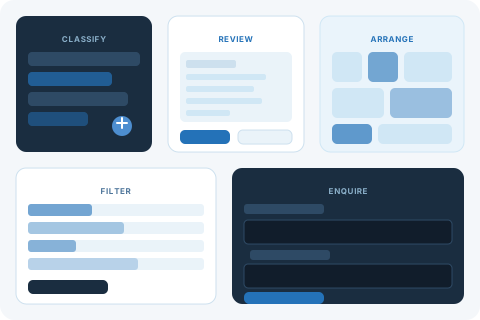
When information enters the Moorervyn system, the classification engine applies a set of defined rules to assign each record to one or more categories. This process runs consistently across all submitted records, regardless of volume, applying the same logic each time so that the resulting category assignments are coherent and comparable. Users do not need to classify records manually; the system handles this step automatically.
02
Structured Review Environment
Classified records are presented in the review environment — a clean, consistent interface that groups related entries and allows users to move through the organised record set methodically. The layout remains stable regardless of how the user navigates, and the hierarchy of categories is maintained throughout the session. Users can open individual records, scan grouped views, and switch between categories without losing their place.
03
Attribute-Based Filtering
Each classified record carries a set of attributes determined during the classification stage. The platform's filtering mechanism allows users to narrow the visible record set by specifying one or more attribute values. Filtering is additive, meaning users can apply multiple criteria simultaneously to focus on a precise subset of the available information. Removing a filter restores the broader view.
04
Category Navigation
The platform provides a navigable category structure that mirrors the output of the classification engine. Users can move directly to a specific category, browse the full list of available categories, or follow related-category links within the interface. The category structure reflects the classification logic applied to the current record set, so it adapts to the information available rather than presenting a fixed generic taxonomy.
05
Record Detail View
Any record in the review environment can be opened in a detail view, which presents all of the classification attributes, the category assignment, the date of classification, and any contextual notes attached to the record. The detail view is consistent across record types, making it straightforward to compare entries from different categories. Users can navigate directly between adjacent records without returning to the list view.
06
Enquiry and Support Channel
The platform includes a dedicated channel for submitting questions, access requests, and support needs. Enquiries submitted through the contact form are received by the Moorervyn support team, who review each one and respond by email. The team may request additional information where the submission requires clarification. The channel is also the primary route for prospective users who wish to begin the access process.
How users typically begin working with the platform
Users who have been granted access typically start by familiarising themselves with the category structure available in their environment. Because each access configuration may reflect a different record set, the categories present will vary. A brief orientation step — reviewing the top-level categories and their constituent record counts — helps users form a mental model of the available information before drilling into specific entries.
From there, most users choose either to browse by category or to apply an initial filter based on the attribute they are most interested in. Both approaches lead to a manageable subset of records that can then be examined individually in the detail view.
The platform does not impose a fixed workflow. Users can start at any point in the navigation structure and move between categories, filters, and individual records as their examination requires.
From enquiry to active use
Users who are not yet active on the platform can begin the process by submitting an access enquiry. The steps below describe what happens after an enquiry is received.
Submit an enquiry
Use the form on the enquiries page to send your request. Include your name, a working email address, and a brief description of your intended use of the platform.
Team review
The Moorervyn support team reads your submission. If the enquiry is clear, they will proceed to the response step. If further information is needed, they will contact you by email.
Response and discussion
The team sends a response outlining the available options and, where relevant, asks follow-up questions about your intended use to ensure the access configuration is appropriate.
Access confirmed
Once the discussion is complete, the team confirms the access arrangement in writing. The confirmation includes the details needed to begin using the platform.
What the platform does and does not claim
Classification is consistent, not exhaustive
The classification engine applies defined rules consistently. It does not claim to identify every nuance in the information it processes or to make judgements that require human expertise.
The review environment displays, not decides
Moorervyn presents organised information for the user to examine. It does not make decisions for users or recommend a course of action based on the records it displays.
Access is assessed individually
The platform does not operate an automatic sign-up process. Each access enquiry is reviewed individually, and the outcome depends on the details provided in the submission.
Descriptions on this site are informational
The capability descriptions on this page reflect the intended design of the Moorervyn system. They should be read as informational descriptions rather than independently verified performance specifications.
Questions about the capabilities?
If you would like to ask about a specific aspect of the platform or find out whether it suits your particular requirements, the support team is available through the enquiries page.